Available$24
Home Management OS
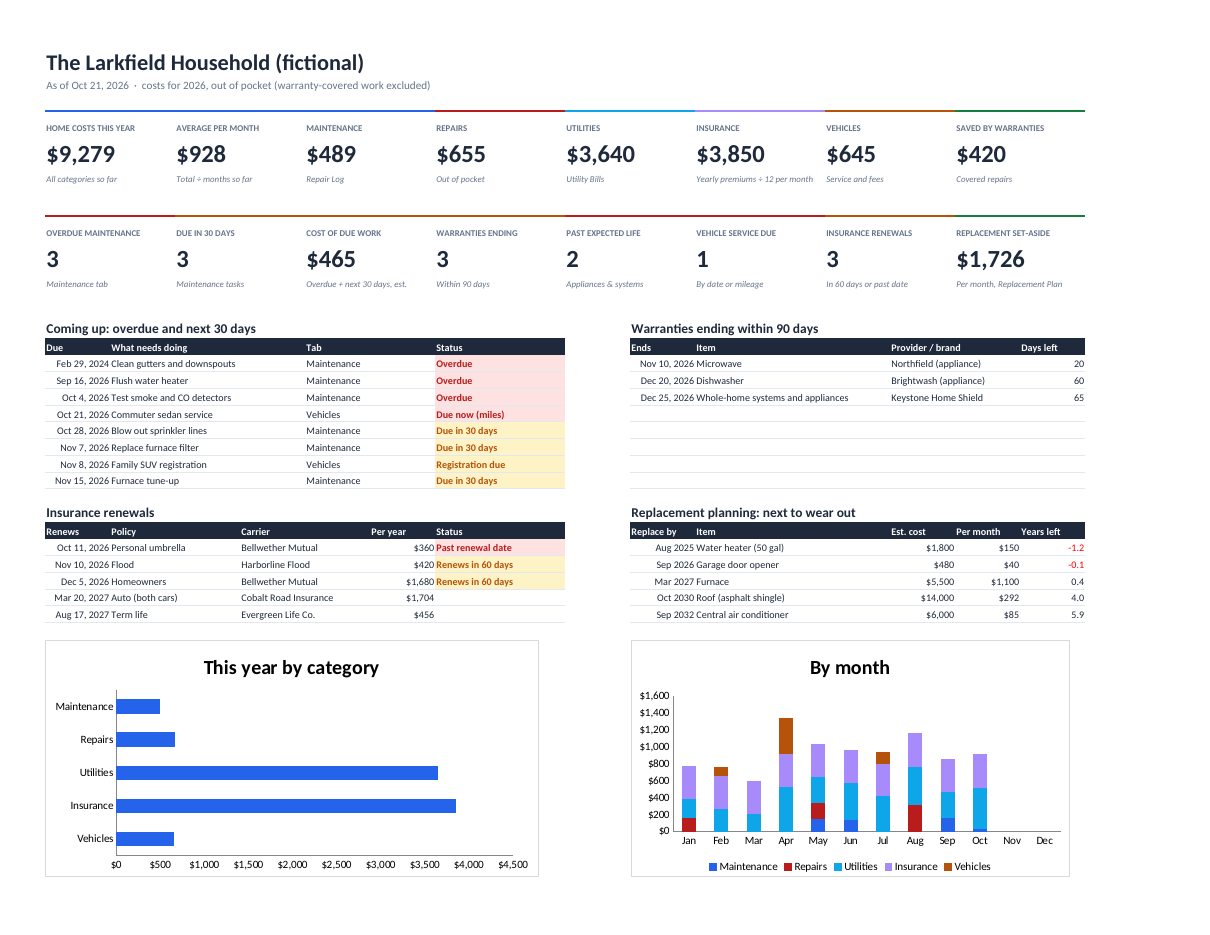
Know what's due, what's under warranty, and what your home really costs per year.
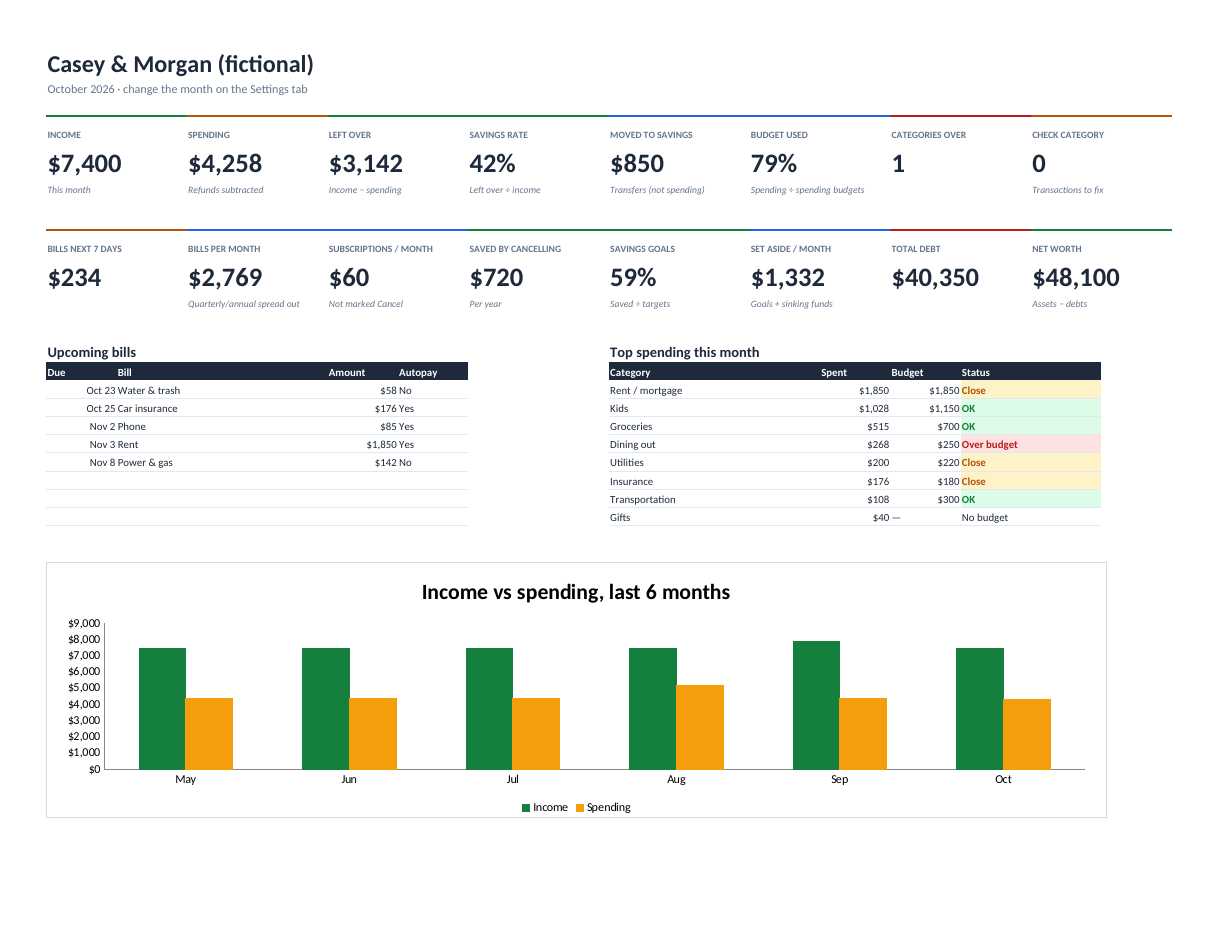
See where the money went this month, what's due next, what your subscriptions really cost, and when each debt will be gone.
Secure checkout. You get the download right after purchase.
Most budget templates stop at a list of categories. This one keeps your budget, bills, subscriptions, savings goals, sinking funds, debts and net worth in one workbook, and the dashboard updates as you add transactions.
Spending counts the honest way: refunds reduce it, and transfers to savings are neither income nor spending. Bills roll their own due dates forward, so you type a due date once. Annual and quarterly subscriptions are converted to what they really cost per month.
The Debt tab works out months to payoff, the payoff date and the interest left at your current payment, gives the avalanche and snowball order, and warns when a payment doesn't even cover the interest.
Income, spending, left over, savings rate, transfers, budget used, categories over, bills due in 7 days, subscriptions per month, savings progress, total debt and net worth, plus a 6-month income vs spending chart.
Every category this month, last month and the 3-month average, flagged Over budget, Close or OK.
Monthly, quarterly or annual. Type any one due date; the next one moves itself. Short months use their last day.
Per month and per year, with what cancelling the ones you mark would save.
Months to payoff, payoff date, interest to pay, avalanche and snowball order, and a never-paid-off warning.
Monthly amount needed for each goal and irregular expense, on-track status, and a net-worth history chart.
personal-finance-dashboard.xlsx (blank, with starter categories)personal-finance-dashboard-example.xlsx (six months of a fictional household)personal-finance-dashboard-quick-start.pdfREADME.txt and LICENSE.txt (personal licence)Personal licence: use it for yourself or your own business's internal work. No resale or sharing of the files. Using it with clients, or redistributing it, needs a commercial licence. Ask. Full terms.
Includes bug-fix updates to this version (1.x). Current version: 1.0.0. Changelog.
Documentation included. Bug reports answered by email within 2 business days. One-to-one setup help isn't included. Report a problem.
It's built to: it only uses functions Excel 2019+ and Google Sheets both support. Upload the .xlsx to Google Drive and choose File → Save as Google Sheets.
No. Your data stays in your file. Paste your bank's CSV export or type transactions.
No. A nickname like "Checking" is enough.
Yes. It's a file you keep. Nothing is sent anywhere.
Know what's due, what's under warranty, and what your home really costs per year.
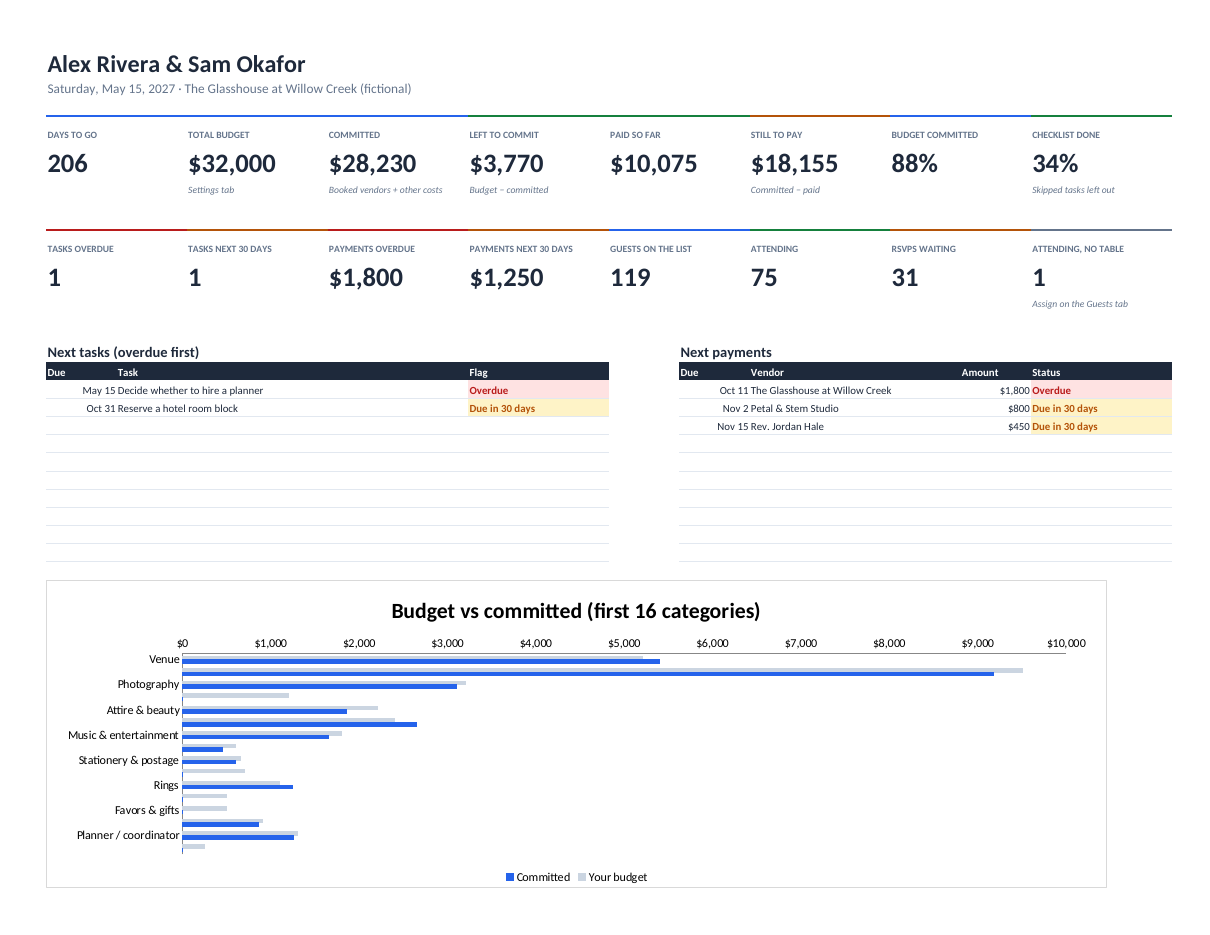
The whole wedding in one Excel or Google Sheets workbook: a dated checklist, a budget that fills itself from vendors and payments, the guest list with RSVPs and meals, and a seating chart that builds itself.