Wedding Planning Spreadsheet: Checklist, Budget, Guest List, RSVPs and Seating Chart
The whole wedding in one Excel or Google Sheets workbook: a dated checklist, a budget that fills itself from vendors and payments, the guest list with RSVPs and meals, and a seating chart that builds itself.
Secure checkout. You get the download right after purchase.
Requirements
- Microsoft Excel 2019 or later / Microsoft 365, or a free Google account for Google Sheets
Most wedding spreadsheets are a pile of separate lists you keep in sync by hand. In this one the tabs talk to each other. Book a vendor and the budget shows it as committed. Record a payment and the vendor's balance, the budget and the dashboard all update. Set a guest's table and they appear on the seating chart; mark them declined and they drop off it.
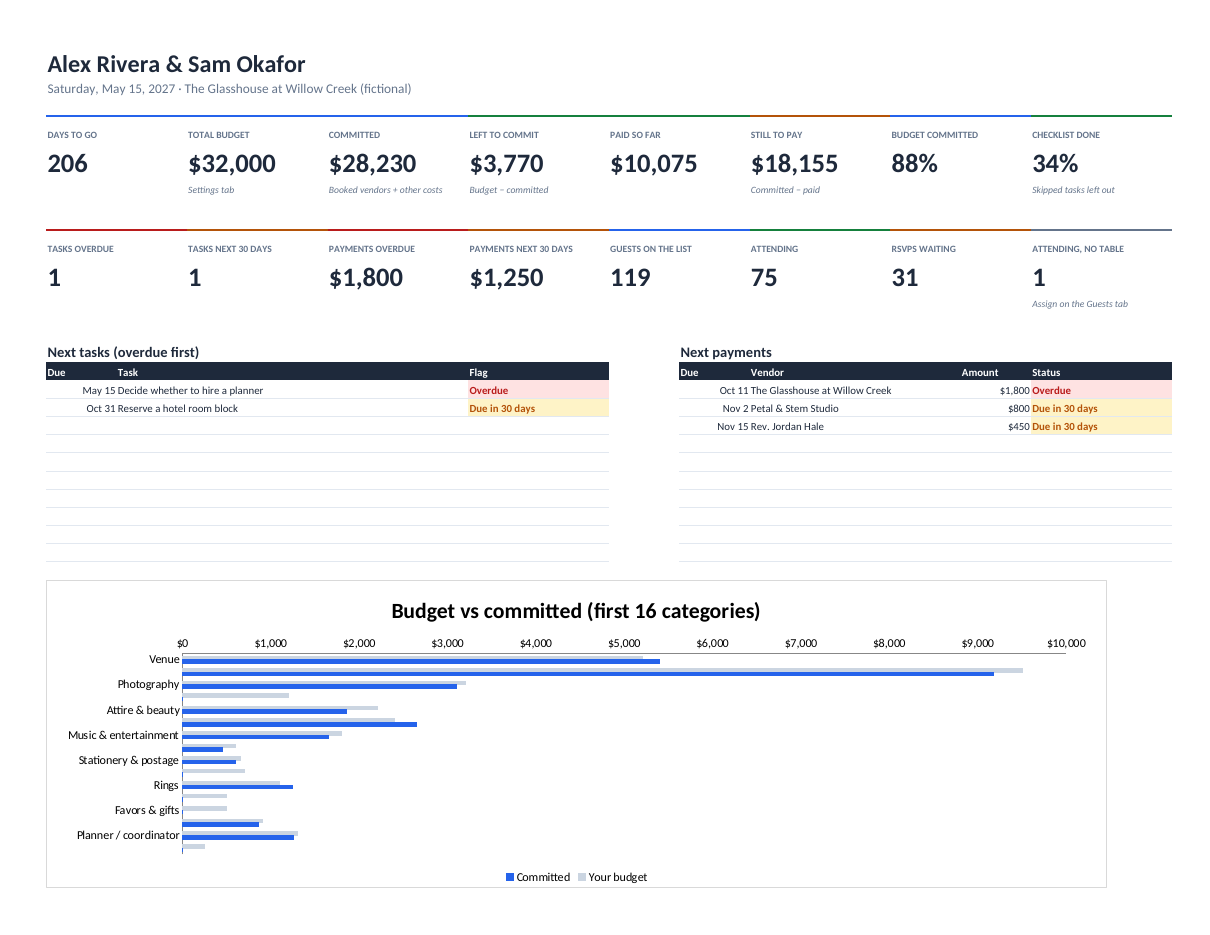
The checklist is dated from your wedding date. Change the date and every deadline moves with it. The dashboard shows what's overdue, what's due in the next 30 days, which payments are coming up and how many RSVPs you're still waiting on.
It comes with a 55-task starter checklist, a starting budget split you can change, a day-of schedule template that flags overlaps, and a honeymoon budget.
Features
Dashboard
Days to go, budget committed and left, paid and still to pay, tasks overdue, payments due, guests attending and RSVPs outstanding, with the next tasks and payments listed.
Budget that fills itself
Committed = booked vendors' contracts plus other costs; paid = recorded payments. Each category shows what's left and flags anything over budget.
Dated master checklist
55 tasks across 11 phases, each dated from your wedding date. Overdue and due-in-30-days flags; Done and Skipped drop off.
Guests, RSVPs and meals
One row per guest with side, group, RSVP, meal, dietary notes and table. An RSVP tab totals it all and lists who hasn't answered.
Seating chart
List your tables and seat counts; the chart fills itself from the guest list, flags tables over capacity and counts attending guests without a table.
Day-of schedule and honeymoon
A timed schedule that flags overlaps, and a honeymoon budget that uses actual prices once you have them.
What's included
wedding-planning-os.xlsx (blank, with the starter checklist and budget split)wedding-planning-os-example.xlsx (a complete fictional wedding)wedding-planning-os-quick-start.pdf (setup, weekly routine, every number explained)README.txt and LICENSE.txt (personal licence)
Verify your download: wedding-planning-os-v1.0.0.zip SHA-256 a1fb785820891cc8c53558d92139d99692f263ef0efb329de8897daf0f2d7d4f
Tested, and known limits
- Every dashboard, RSVP and seating number is checked against an independent calculation on the example wedding
- Five deliberately broken rules (quotes counted as booked, unpaid payments counted as paid, done tasks flagged overdue, declined guests seated, custom dates ignored) were each caught by those checks
- Blank workbook opens with no errors and no made-up numbers
- Recalculated in LibreOffice; only functions supported by Excel 2019+ and Google Sheets are used
Limits
- Apple Numbers opens the file, but charts and some formulas may not work
- 500 guests, 300 tasks, 100 vendors, 300 payments and 50 tables per file
- The seating chart shows the first 20 tables, 12 seats each
Licence, updates and support
Licence
Personal licence: use it for yourself or your own business's internal work. No resale or sharing of the files. Using it with clients, or redistributing it, needs a commercial licence. Ask. Full terms.
Updates
Includes bug-fix updates to this version (1.x). Current version: 1.0.0. Changelog.
Support
Documentation included. Bug reports answered by email within 2 business days. One-to-one setup help isn't included. Report a problem.
Questions
Can my partner and planner edit it too?
Yes. Upload it to Google Drive, choose File → Save as Google Sheets and share it. Or keep it in OneDrive or Dropbox and open it in Excel.
Does it work in Google Sheets?
It's built to: it only uses functions both apps support. (Tested in Excel-compatible LibreOffice; a full Google Sheets check is in progress.)
What if our date changes?
Change it on the Settings tab. Every checklist deadline moves with it.
Is my data private?
Yes. It's a file you keep. Nothing is sent anywhere.