Available$24
Personal Finance Dashboard
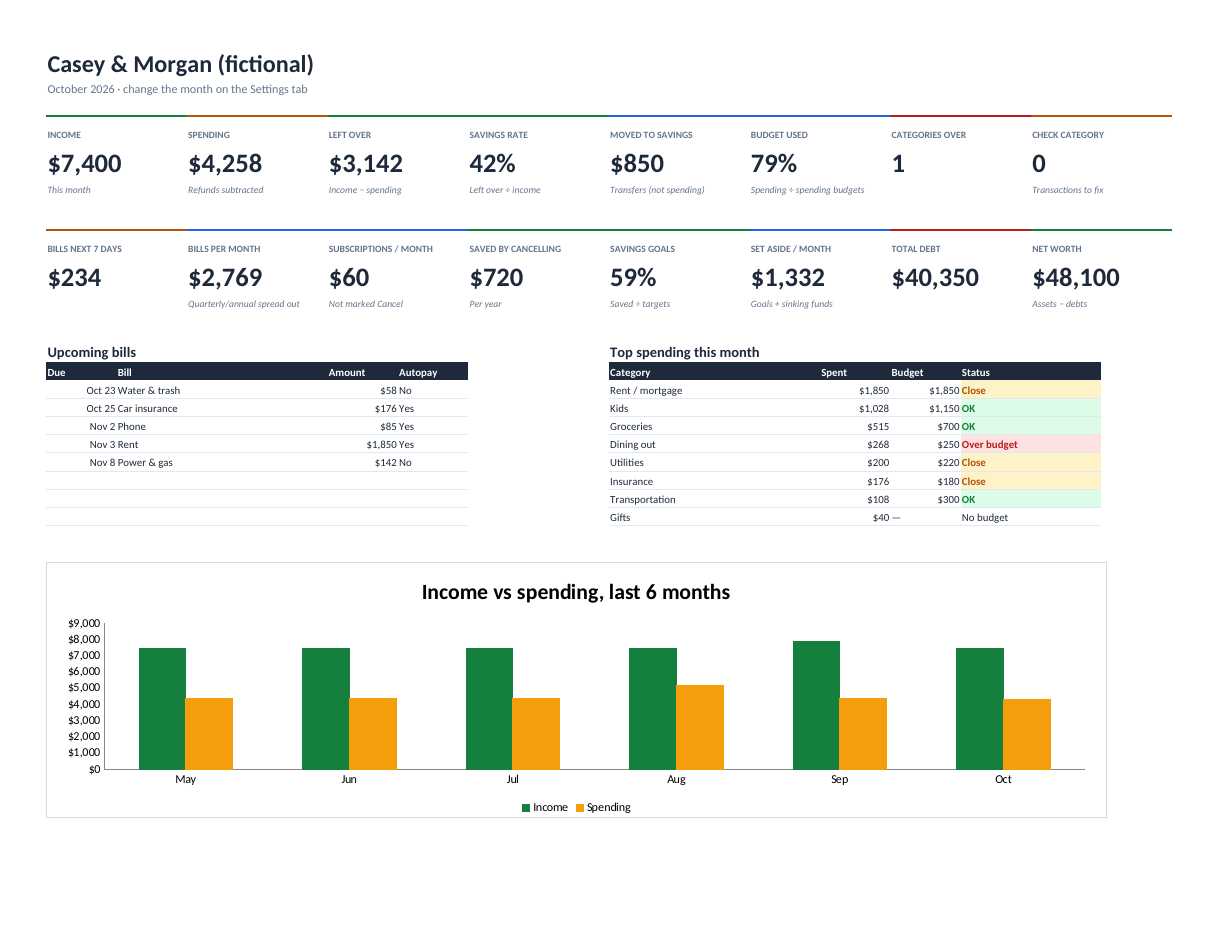
See where the money went this month, what's due next, what your subscriptions really cost, and when each debt will be gone.
Know what's due, what's under warranty, and what your home really costs per year.
Secure checkout. You get the download right after purchase.
Home Management OS runs a house like a well-kept system. Log a maintenance job once and it schedules itself from the day you last did it. Add your appliances and systems and it tells you which are past their expected life, which warranties end soon, and how much to set aside each month to replace them.
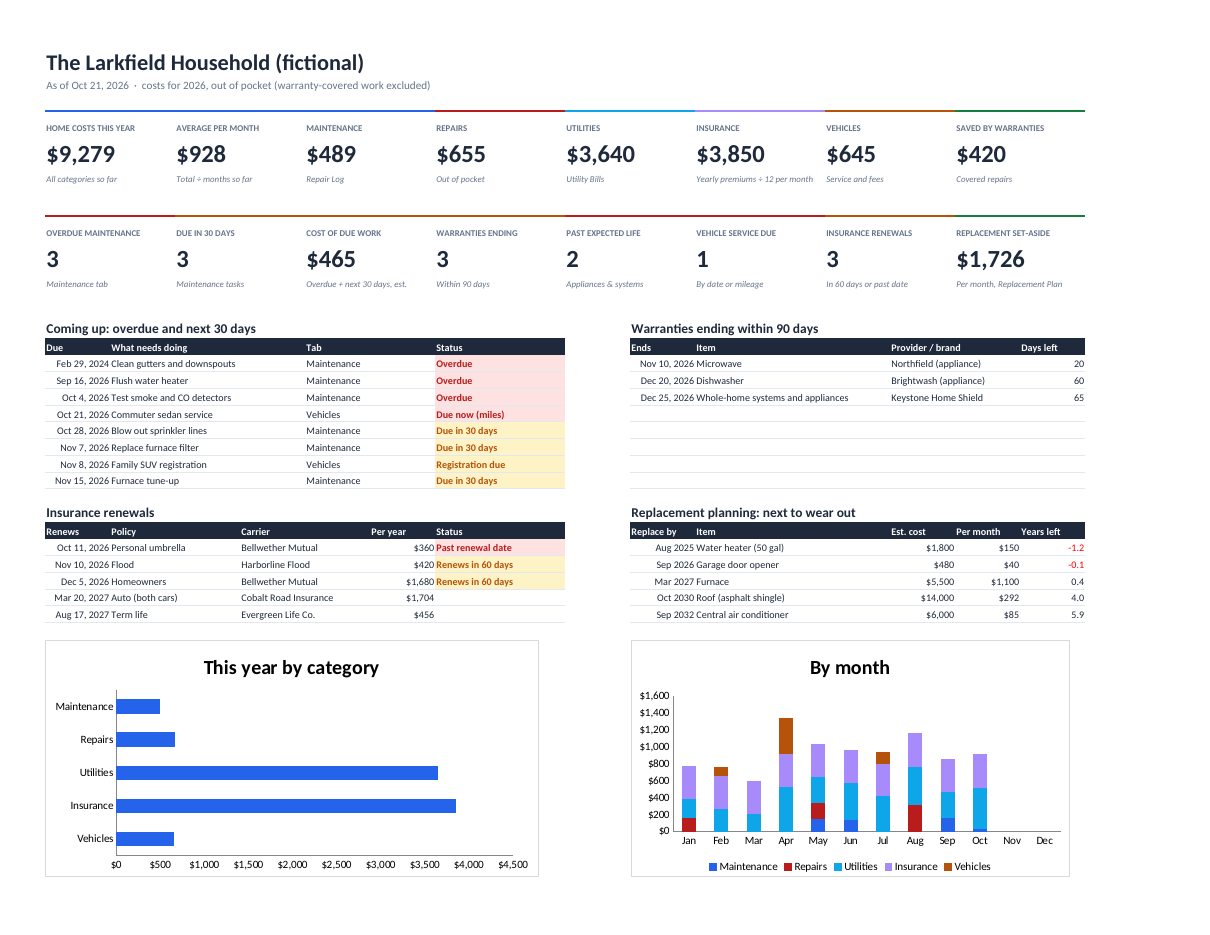
Bills, repairs, insurance and car costs roll up into a Home Costs view and a one-page dashboard of your real out-of-pocket spend for the year. Work covered by a warranty shows as savings, not spending.
Also included: a contractors directory, utility history, vehicle service by date or mileage, recurring chores, and a home documents index that records where things are kept, never the account numbers.
Every task rolls forward from the last time you did it; overdue and due-in-30-days items land on the dashboard.
Expired, active and ending within 90 days across appliances, home warranties and workmanship guarantees.
Maintenance, repairs, utilities, insurance and vehicles by month and category, with averages and charts.
Replace-by year, years left and a monthly set-aside for every appliance and system.
Monthly, semi-annual and annual premiums become one annual cost; renewals flagged 60 days ahead.
Service by date or mileage, registration reminders, chores, and where every important paper is kept.
home-management-os.xlsx (blank)home-management-os-example.xlsx (a fictional household)home-management-os-quick-start.pdfREADME.txt and LICENSE.txt (personal licence)Personal licence: use it for yourself or your own business's internal work. No resale or sharing of the files. Using it with clients, or redistributing it, needs a commercial licence. Ask. Full terms.
Includes bug-fix updates to this version (1.x). Current version: 1.0.0. Changelog.
Documentation included. Bug reports answered by email within 2 business days. One-to-one setup help isn't included. Report a problem.
It's built to: it only uses functions Excel 2019+ and Google Sheets both support. Upload the .xlsx to Google Drive and choose File → Save as Google Sheets.
Yes. Skip the tabs you don't need.
Yes. It's a file you keep. Nothing is sent anywhere.