Available$12
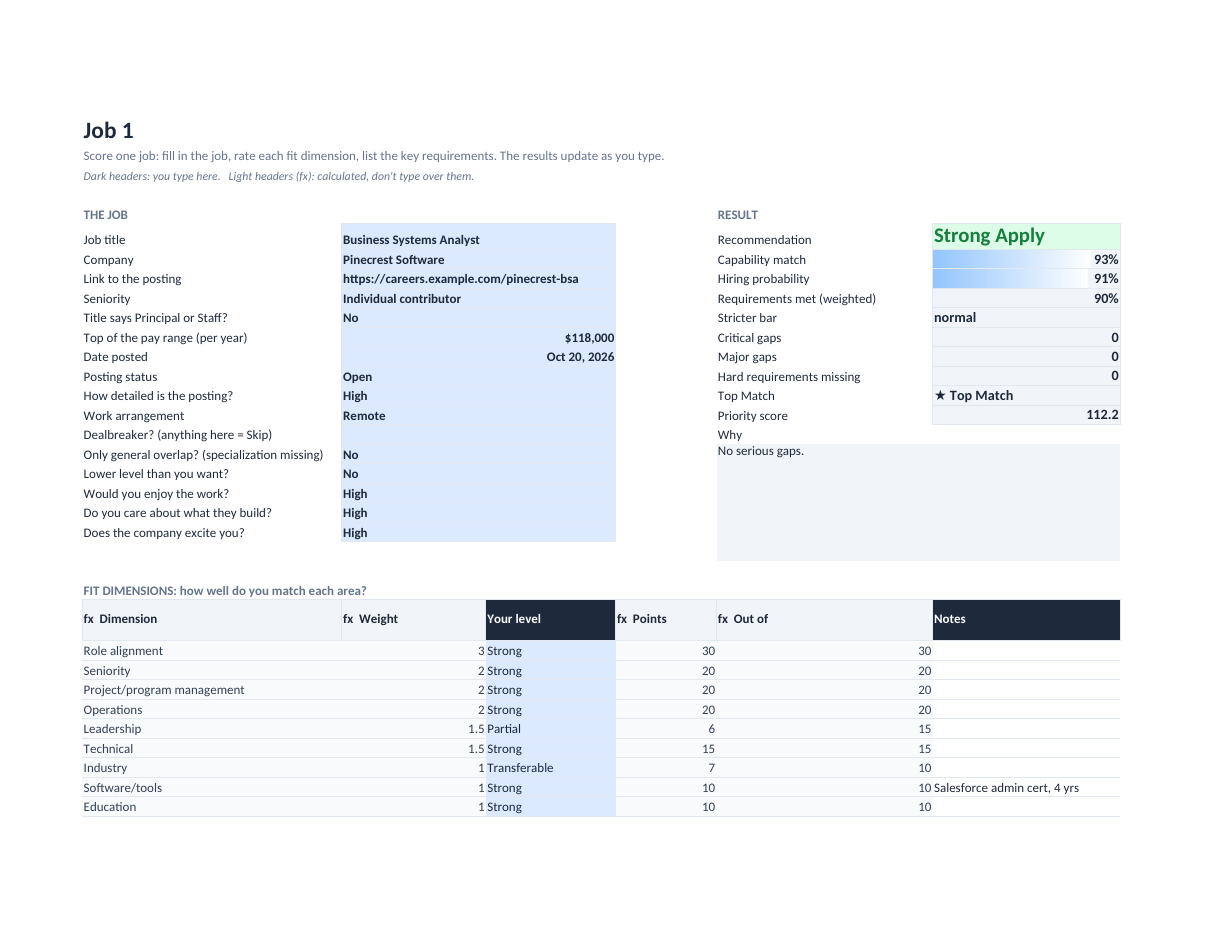
Job Fit Scorecard
Score a job against your experience before you spend an evening applying: a capability score, a realistic hiring probability and a clear Apply / Stretch / Skip call.
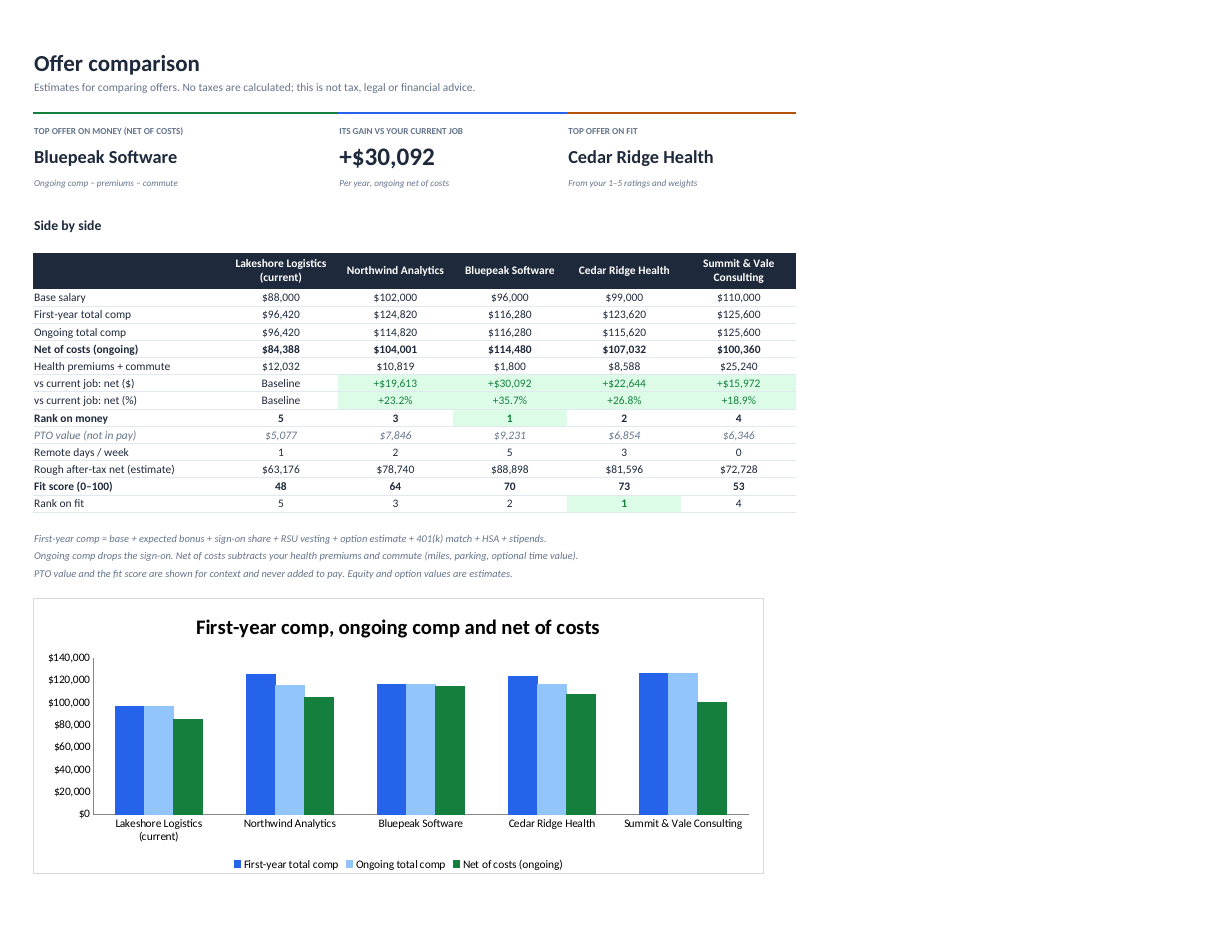
Put up to four job offers next to your current job and see what each is really worth after bonus, equity, 401(k) match, health premiums and commute.
Secure checkout. You get the download right after purchase.
Comparing offers on base salary alone is how people leave money on the table, or take a raise that a long commute and a pricier health plan quietly eat.
This calculator works out first-year and ongoing total compensation for each offer: base, expected bonus, sign-on spread over the right years, RSU vesting, your own option estimate, the 401(k) match capped correctly, employer HSA money and stipends. Then it subtracts health premiums and commute costs to show a net figure, the difference vs your current job, and a rank.
A separate fit score from your own weighted ratings (growth, manager, stability, work-life) keeps money and non-money factors apart. A Breakdown tab shows how every number was calculated.
First-year and ongoing, side by side with your current job.
Matched up to the cap and limited by what you actually contribute.
Miles, parking or transit, and optionally your time. Fully remote offers count no commute.
Comp minus health premiums and commute, vs your current job in $ and %.
A weighted 0–100 fit score from your own 1–5 ratings.
A Breakdown tab with the logic behind each line, plus a comparison chart.
salary-offer-comparison.xlsx (blank: current job + four offers)salary-offer-comparison-example.xlsx (four fictional offers)salary-offer-comparison-quick-start.pdfREADME.txt and LICENSE.txt (personal licence)Personal licence: use it for yourself or your own business's internal work. No resale or sharing of the files. Using it with clients, or redistributing it, needs a commercial licence. Ask. Full terms.
Includes bug-fix updates to this version (1.x). Current version: 1.0.0. Changelog.
Documentation included. Bug reports answered by email within 2 business days. One-to-one setup help isn't included. Report a problem.
It's built to: it only uses functions Excel 2019+ and Google Sheets both support. Upload the .xlsx to Google Drive and choose File → Save as Google Sheets.
You enter your own estimate, and it's labelled as one.
Yes. It's a file you keep. Nothing is sent anywhere.
Score a job against your experience before you spend an evening applying: a capability score, a realistic hiring probability and a clear Apply / Stretch / Skip call.
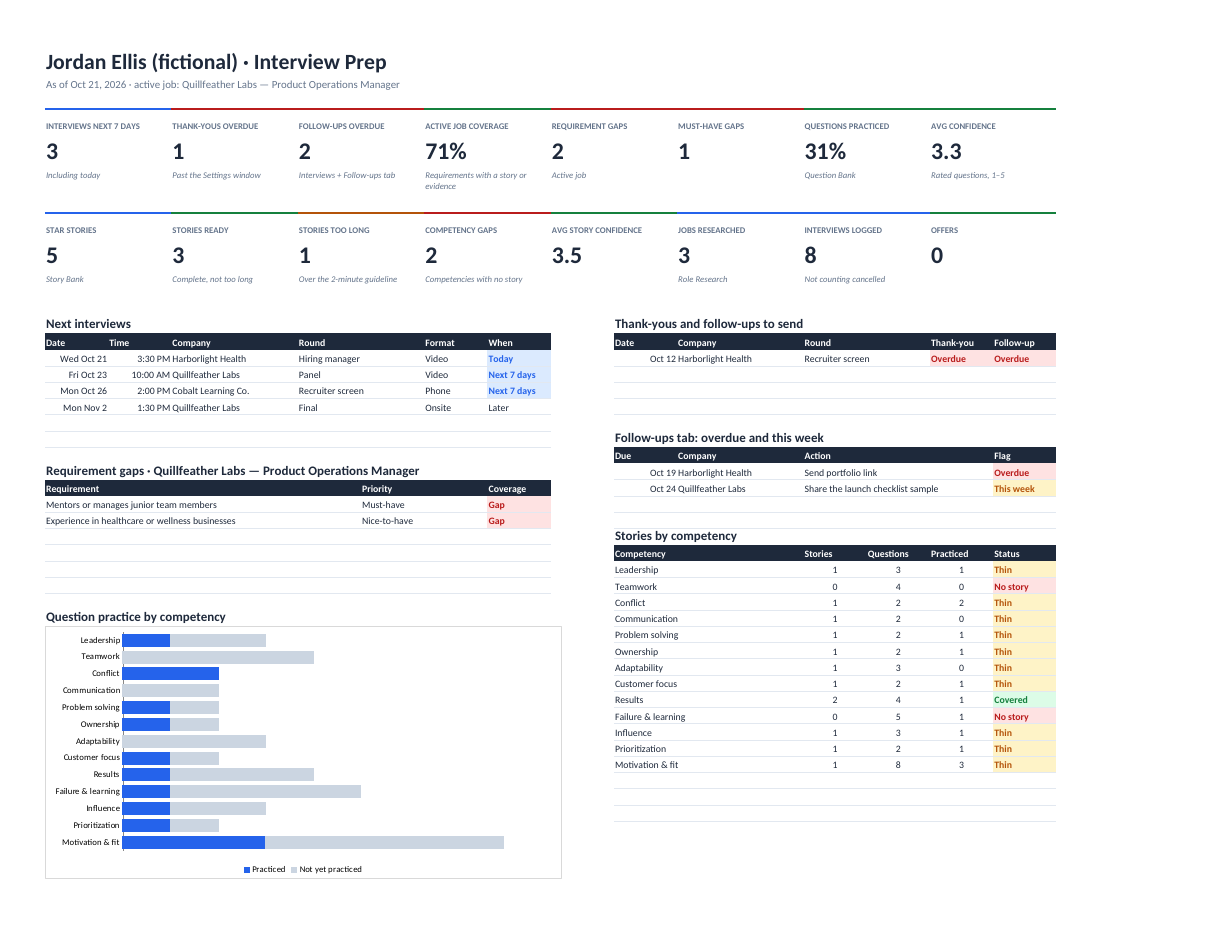
Walk into every interview knowing what you'll say: stories, practice questions, company research and follow-ups in one plan.