Available$9
Job Application Tracker
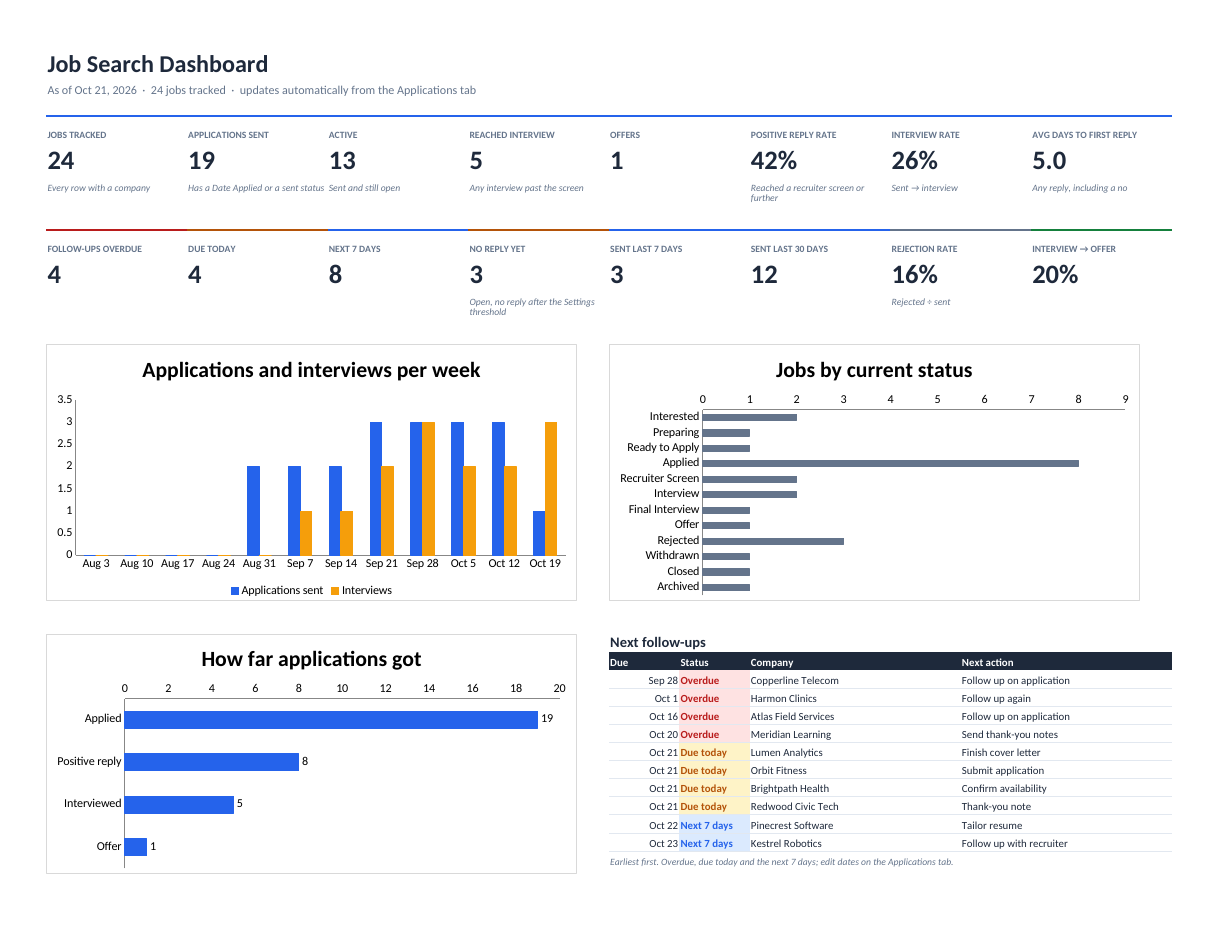
Track every application, interview, recruiter and follow-up in one Excel or Google Sheets workbook, with a dashboard that updates itself.
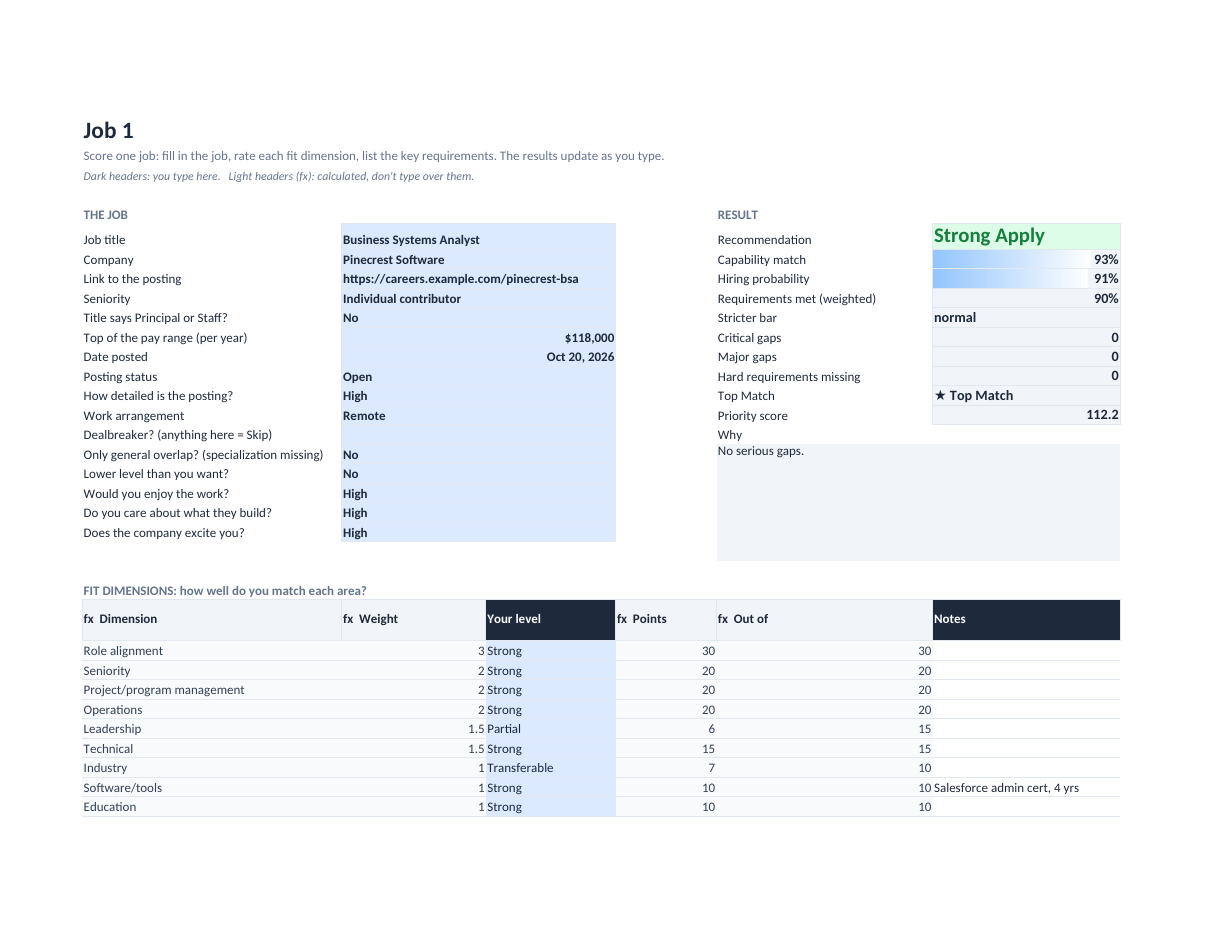
Score a job against your experience before you spend an evening applying: a capability score, a realistic hiring probability and a clear Apply / Stretch / Skip call.
Secure checkout. You get the download right after purchase.
The scorecard uses the decision rules from a working job-matching app. You rate yourself on ten weighted fit dimensions and list the posting's key requirements, marking each one Must-have, Core, Important, Preferred or Bonus and how you match it.
It keeps two questions apart. Capability asks whether you could do the work. Hiring probability asks whether a recruiter would pick you: it weights the central requirements most, treats transferable experience as most of the way there, and applies a stricter bar to senior and highly paid roles, because those hire proven experience.
Not every gap is equal. A minor gap or a tool you can learn costs a little. A critical gap on a central requirement costs a lot. A true hard requirement, like a license you don't hold, caps the job at Skip, unless the posting says "or equivalent", which turns it into a critical gap instead of a wall.
Two numbers, not one: can you do the job, and would you realistically get it.
Requirements weigh Must-have 5, Core 4, Important 3, Preferred 1.5, Bonus 0.5, so a missing bonus skill never sinks a job.
Gap severity decides how much a gap costs. "Or equivalent" softens a hard requirement automatically.
Strong Apply, Apply, Stretch Apply, Low-Probability Stretch or Skip, with the reasons written out.
Set your own dimension weights, target and minimum pay, and how much you like remote, hybrid or on-site work.
A Compare tab ranks every job by priority and marks Top Matches: jobs you'd get, that pay your target, and that you'd enjoy and care about.
job-fit-scorecard.xlsx (blank: ten Job tabs, Compare, Settings)job-fit-scorecard-example.xlsx (ten fictional jobs, every recommendation level)job-fit-scorecard-quick-start.pdf (how to score a job, every number explained)README.txt and LICENSE.txt (personal licence)Verify your download: job-fit-scorecard-v1.0.0.zip SHA-256 c0b645f61b24300f079255a967b23e2b838629e7b8ff922390099e544efb8f15
Personal licence: use it for yourself or your own business's internal work. No resale or sharing of the files. Using it with clients, or redistributing it, needs a commercial licence. Ask. Full terms.
Includes bug-fix updates to this version (1.x). Current version: 1.0.0. Changelog.
Documentation included. Bug reports answered by email within 2 business days. One-to-one setup help isn't included. Report a problem.
Often, yes. That's what this is for: it separates the gaps that cost a little (a tool you can learn, a preferred skill) from the ones that really decide it (a central requirement or a license). Apply and Stretch Apply mean worth your time.
It's built to: it only uses functions both apps support. Upload the .xlsx to Google Drive and choose File → Save as Google Sheets. (Tested in Excel-compatible LibreOffice; a full Google Sheets check is in progress.)
No. It's a consistent estimate from your own honest ratings, useful for comparing jobs and for spotting the gap to address in your resume or cover letter.
Yes. It's a file you keep. Nothing is sent anywhere.