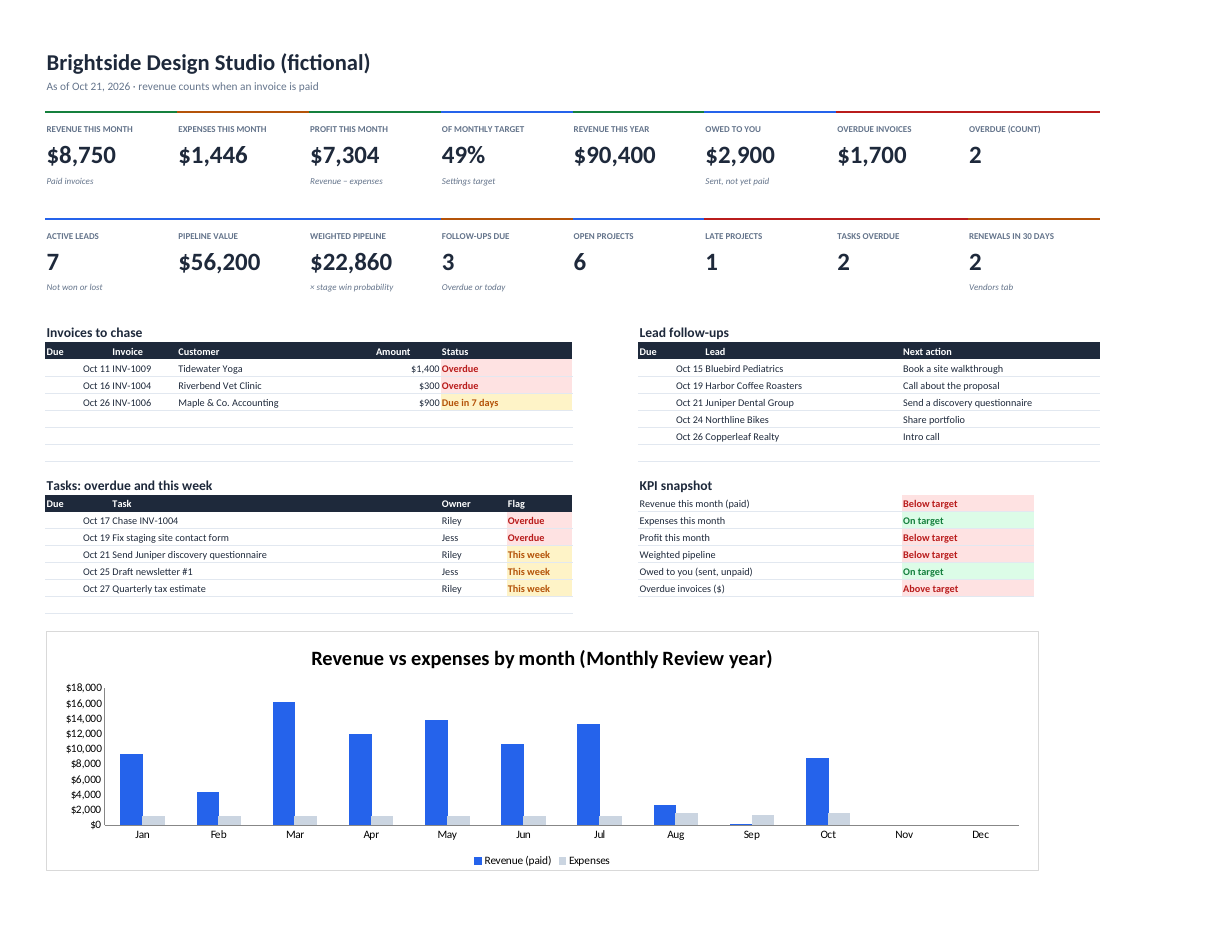
Available$19
Small Business OS
Run a small service business from one Excel or Google Sheets workbook: lead pipeline, customers, projects, invoices with overdue tracking, expenses, vendors, tasks, KPIs and a monthly review.
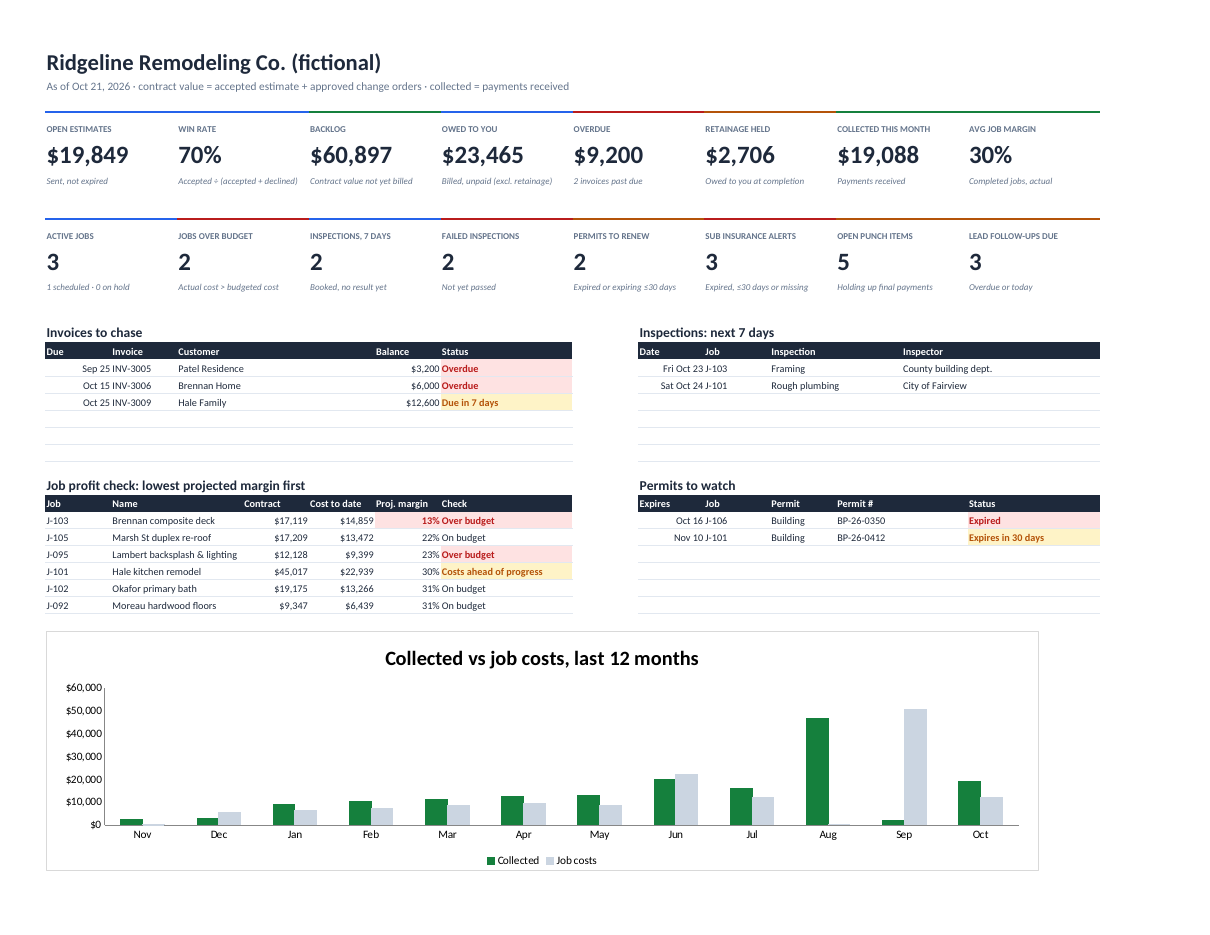
Know which jobs actually make money, what's owed to you, and what inspections and permits are coming up.
Coming soon. It's built and waiting on a final check before it goes on sale. Planned price: $29.
Launch updates by email are coming soon.
Contractor Business OS is the back office for remodelers and trades contractors: line-item estimates, jobs, change orders, job costing, subcontractors, permits, inspections, punch lists and invoices with retainage, tied together by one dashboard.
Contract value counts the accepted estimate plus approved change orders only, so pending change orders can't leak margin. Job Costing shows budget vs actual, margin to date and projected margin for every job, and warns when spending runs ahead of progress.
Invoices handle deposits, progress billing and retainage, so "owed to you" and "overdue" are always right. The dashboard tracks backlog, win rate, collections, inspections in the next 7 days, failed inspections, expiring permits and lapsed subcontractor insurance.
Labor hours × rate, materials and subs with markup, permit fees, contingency and tax, plus a printable customer estimate.
Budget vs actual (labor, materials, subs, permits), margin to date, projected margin and over-budget flags.
Only approved change orders count toward contract value; pending ones stay visible.
Deposits, progress billing, retainage held and released, part payments and overdue balances.
Inspections in 7 days, failed inspections, permits expiring in 30 days, and expired or missing insurance certificates.
16 numbers and 12 months of cash collected vs job costs.
contractor-business-os.xlsx (blank, 21 tabs)contractor-business-os-example.xlsx (a fictional remodeling company)contractor-business-os-quick-start.pdfREADME.txt and LICENSE.txt (one business per licence)Personal licence: use it for yourself or your own business's internal work. No resale or sharing of the files. Using it with clients, or redistributing it, needs a commercial licence. Ask. Full terms.
Includes bug-fix updates to this version (1.x). Current version: 1.0.0. Changelog.
Documentation included. Bug reports answered by email within 2 business days. One-to-one setup help isn't included. Report a problem.
It's built to: it only uses functions Excel 2019+ and Google Sheets both support. Upload the .xlsx to Google Drive and choose File → Save as Google Sheets.
It's built around jobs: estimates with line items, change orders, job costing, retainage, permits, inspections, subs and punch lists. Small Business OS is for service businesses that bill by project or retainer.
Yes. It's a file you keep. Nothing is sent anywhere.
Run a small service business from one Excel or Google Sheets workbook: lead pipeline, customers, projects, invoices with overdue tracking, expenses, vendors, tasks, KPIs and a monthly review.
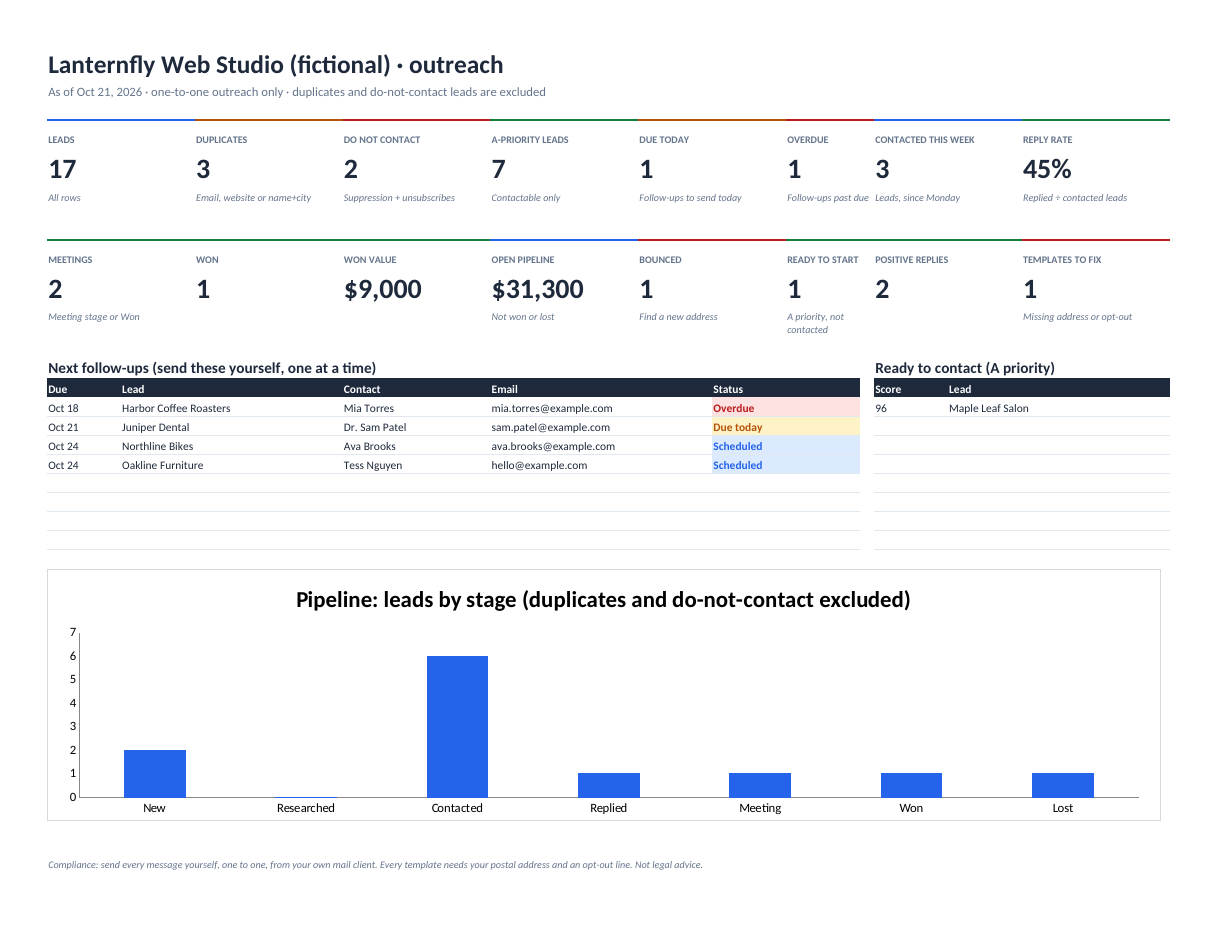
Organise local B2B outreach: duplicates flagged, leads scored and prioritised, follow-ups scheduled, replies tracked and a do-not-contact list enforced everywhere.